
Move candidates from job boards into Goodfit
The Goodfit Chrome extension works on LinkedIn, Indeed and Wellfound. Add a candidate to a Goodfit job in one click. Fill in a job post from your Goodfit job. You sign in once with your Goodfit account.
Works in Google Chrome. Sign in with your Goodfit account.
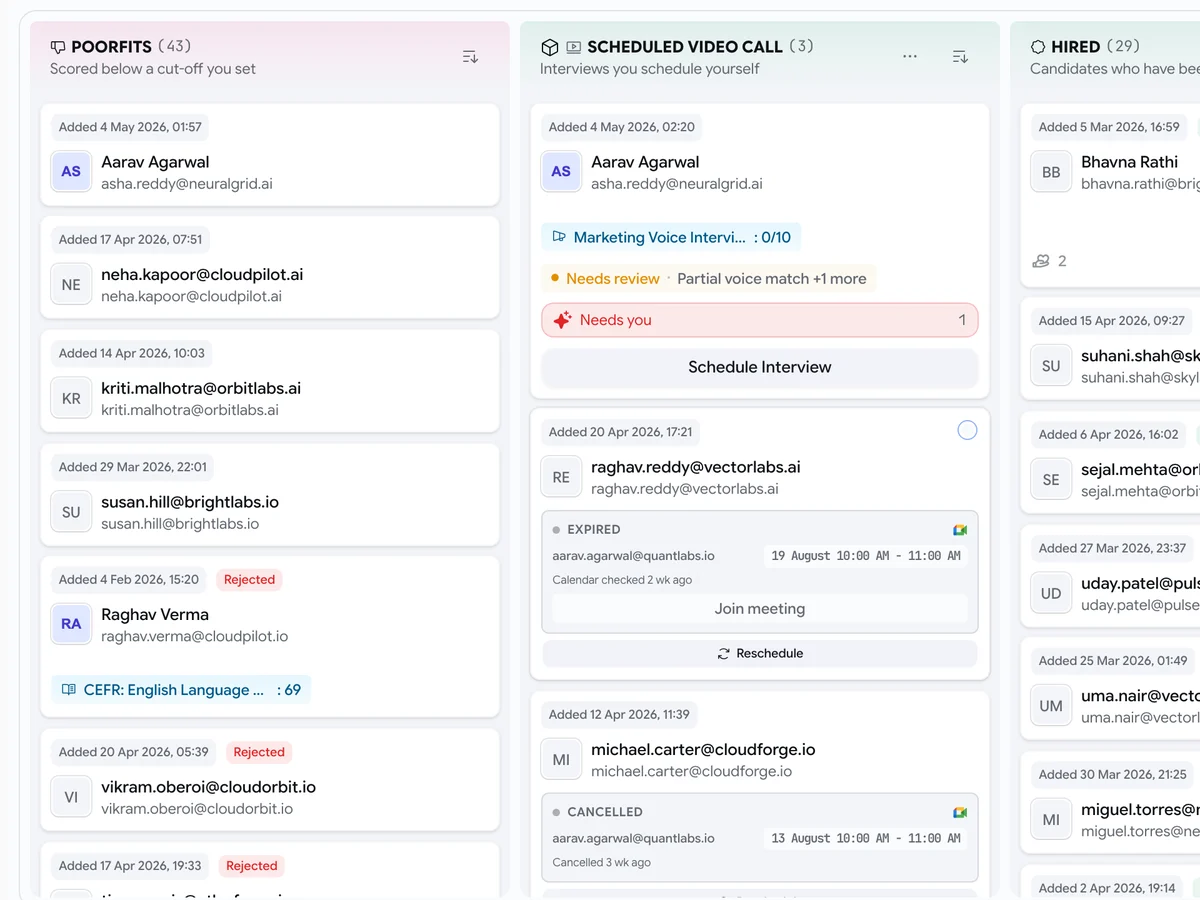
Imported candidates land on your Goodfit hiring board.
Trusted by HR teams at 200+ companies
What the extension does
Most of a recruiter’s day goes on copying between tabs. The extension does the copying.
See who is already in Goodfit
On a LinkedIn profile, the extension shows if the person is already a candidate in your account. So you never add or contact the same person twice. You can add them to a job, or send them a Goodfit interview invite, from the profile.
Bring a job’s applicants into Goodfit
On a board’s applicants page, click Import applications to Goodfit and pick the job. Resumes are read and scored in the background. Rejected applicants are never imported. Each candidate is tagged with the board they came from.
Post a job without typing it again
Open a board’s “post a job” page. The form fills in from your Goodfit job: title, location, pay, job type and description. You check each step and submit it yourself.
Import the jobs you already posted
Tick the jobs on the board’s list. They come into Goodfit as drafts for you to check before they go live. Jobs you imported before are skipped, so you can run it again safely.
FAQ
Questions about the Chrome extension
Which browsers does it work in?
Which job boards does it work with?
Does it post or pay for jobs for me?
Do candidates get an email when I import them?
What data can the extension see?
Give your HR team a voice agent
Goodfit talks with applicants and employees by phone or in a browser. Try it on one of your open roles.
- 20 free assessments, no card needed
- Then $3 per assessment
- No seats or annual contract